
Enriching Salesforce Leads based on PlaceID
I built a Python-driven automation that enriches Salesforce leads using Place IDs as a stable, unique identifier for every business on Google Maps.
The Three Ingredients of the Automation
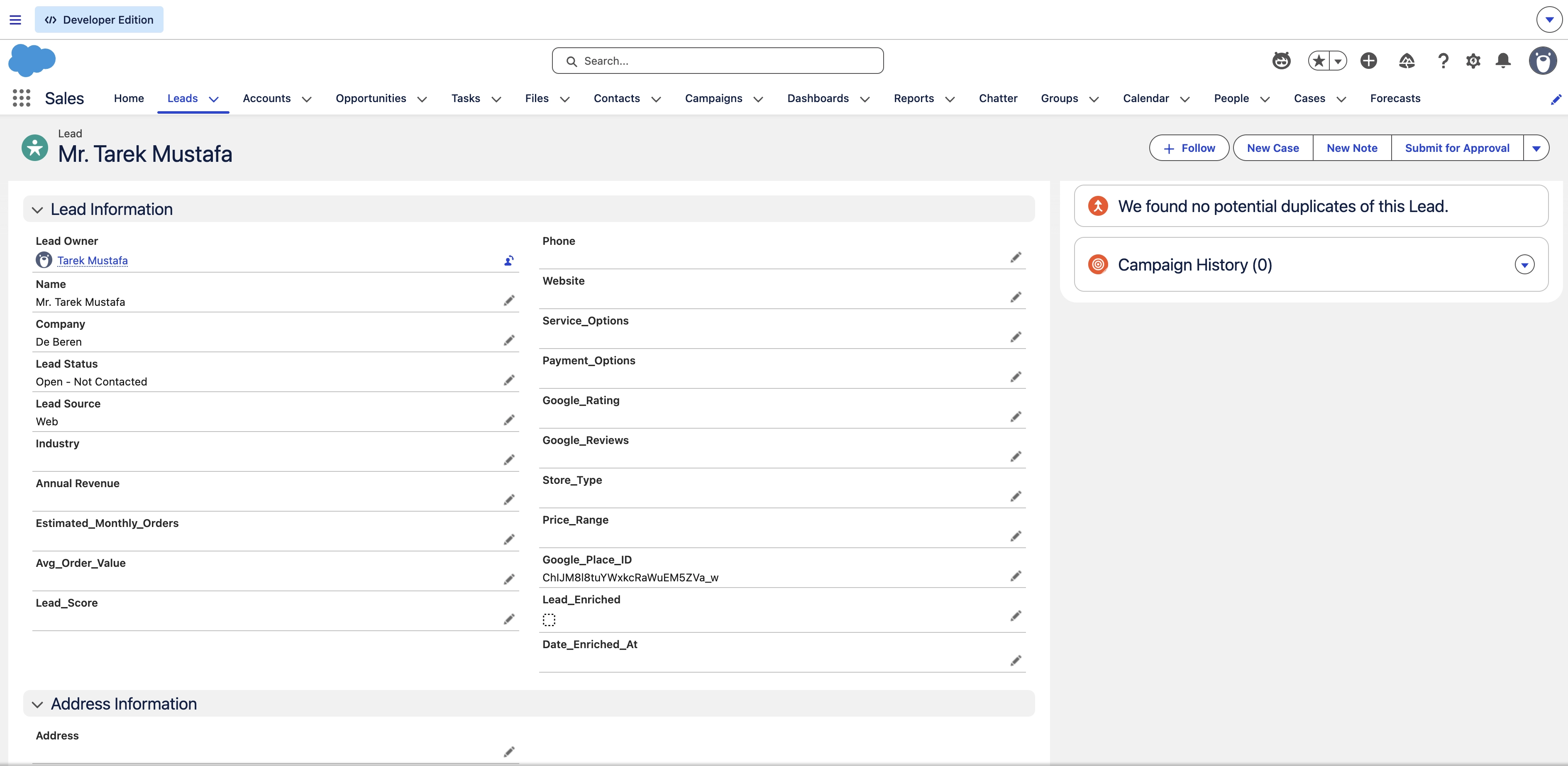
1. Salesforce Lead Object Configuration
To prepare Salesforce for this Lead enrichment, I added a few custom fields to the Lead object. This includes a custom PlaceID field to serve as our unique key, along with fields for Google Rating, Review Count and a few more. These fields provide the landing spot for the external data, ensuring it is structured and ready for sales reps to use.
2. Python & Google Maps API Integration
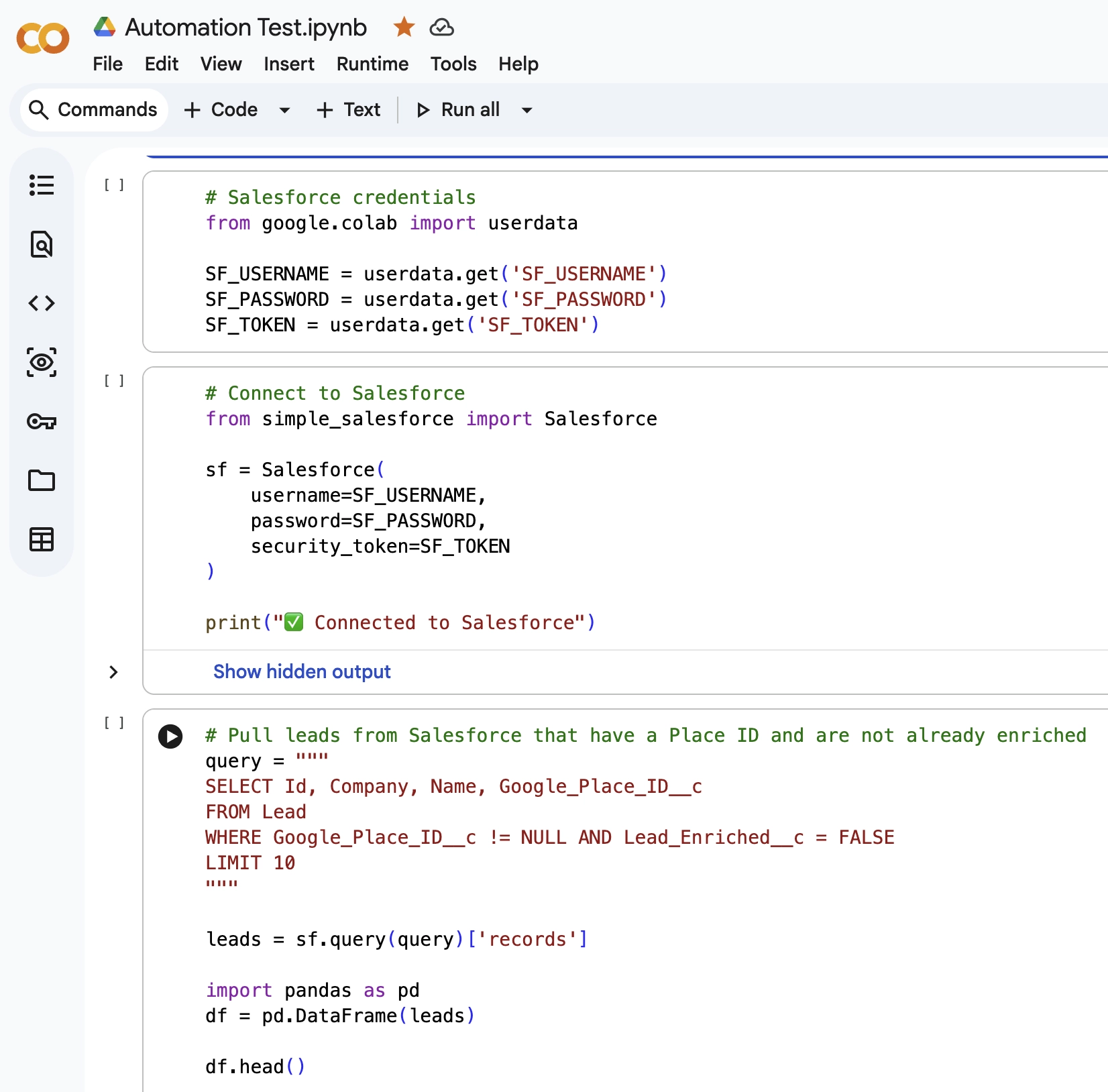
The “engine” is a Python script that bridges the gap between Salesforce and Google Maps. The logic follows a specific pipeline
- Authentication: Securely connecting to Salesforce using simple_salesforce.
- The Query: Identifying leads that have a Place ID and not enriched yet.
- The Enrichment: Calling the Google Maps API (via SerpAPI) to fetch business details for each of the fields.
3. Automated Update Logic
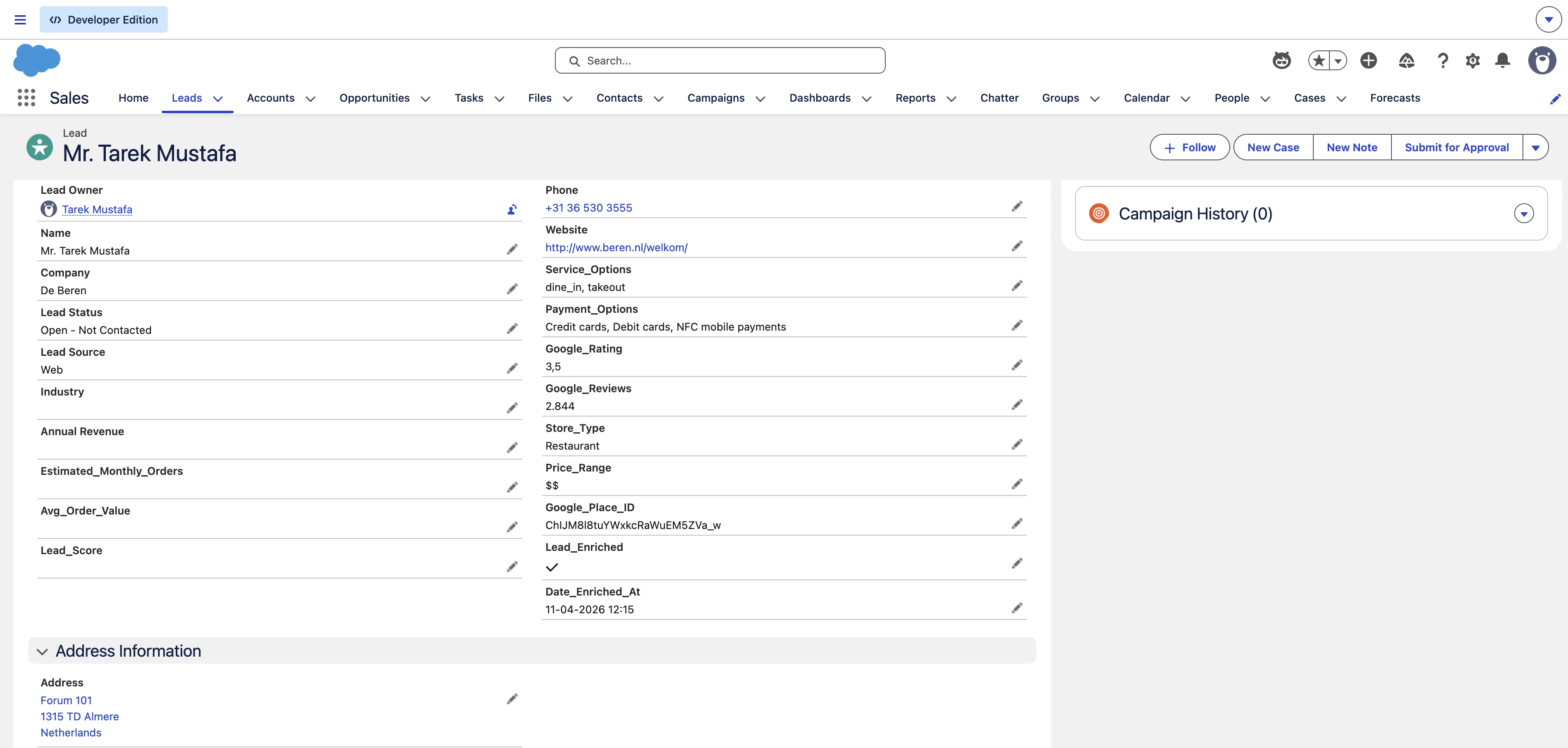
The script doesn’t just find data; it manages the lifecycle of the record. After fetching the details, the automation maps the API response (like rating, user_ratings_total and website) back to the corresponding Salesforce fields and executes a bulk update. This removes the need for manual data entry and ensures the CRM remains a “living” database.
How it Works in the Pipeline
Once the Python script is executed in the Colab environment, the system performs the following:
- The Extraction: The script pulls all leads from Salesforce that are marked for enrichment.
- The Transformation: It parses the complex JSON response from Google, extracting only the most relevant business details.
- The Validation: It checks if a website or rating exists before attempting to update, ensuring no “empty” data overwrites existing records.
- The Sync: The processed data is pushed back to Salesforce, instantly appearing on the Lead’s page for the sales team.
Key Takeaways
By utilizing the Google Maps API via SerpAPI and the simple_salesforce library, the automation moves away from inconsistent manual inputs. This ensures cleaner records, more accurate data and provides sellers with immediate context on a lead’s online presence without them ever leaving the CRM.
The Bottom Line
This setup transforms Salesforce from a static database into an active, context-rich participant in the sales process. By automating the basics with the right identifiers, we turn tedious “Lead Research” into an automated background process.