
Using Salesforce Agentforce to Search for Leads
Building on my lead enrichment automation, I wanted to create a more intuitive way for sellers to interact with their data. Instead of scrolling through list views, I built a custom Agentforce Agent that allows sellers to find high-value prospects simply by asking.
The Three Ingredients of the Automation
1. Custom Fields & Logic
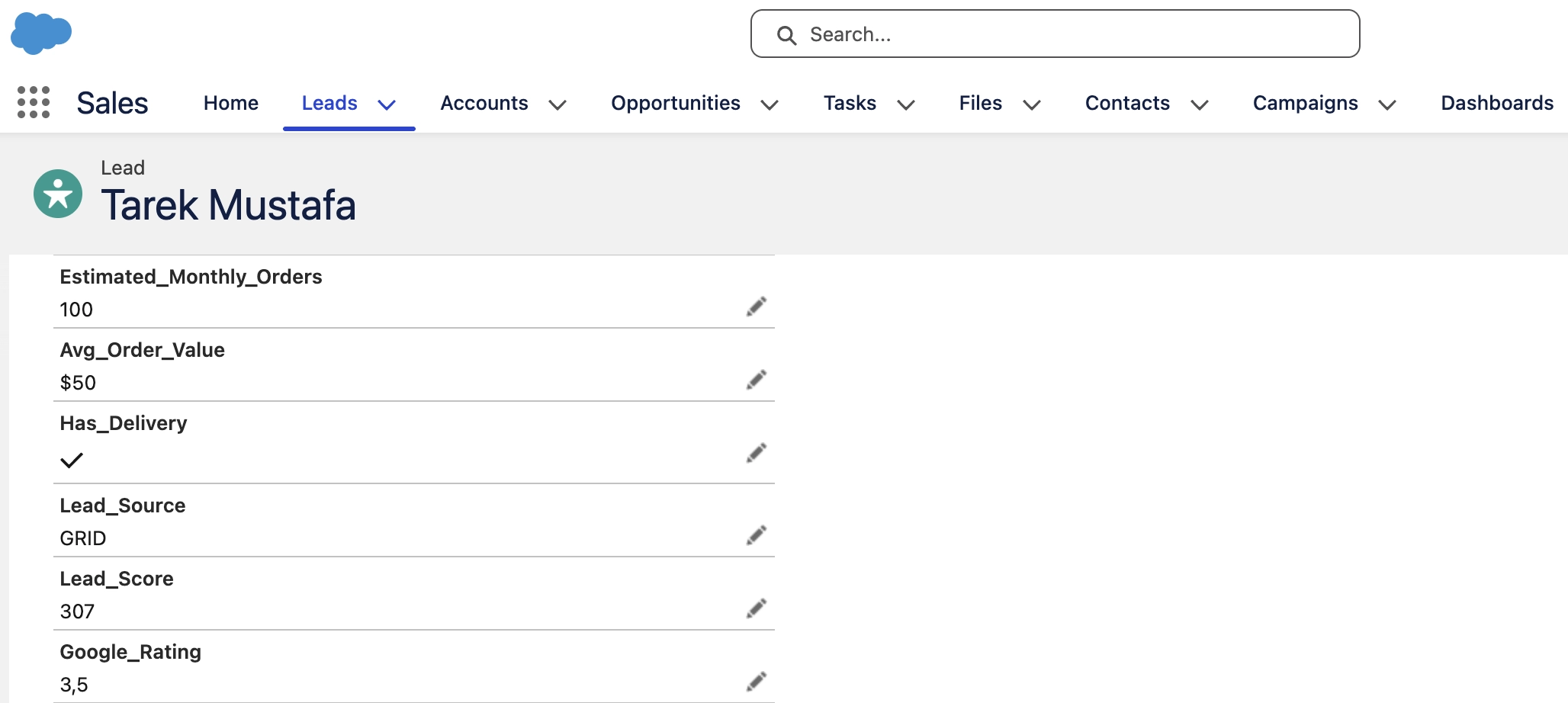
To make the search meaningful, I added custom industry-specific fields like Estimated Monthly Orders, Average Order Value, and Cuisine. I then built a Lead Score Flow that calculates a priority score using this formula:
Lead_Score = (Orders * 0.5) + (AvgValue * 3) + (Rating * 2) + (HasDelivery * 100)
2. Search Flow & Prompt Template
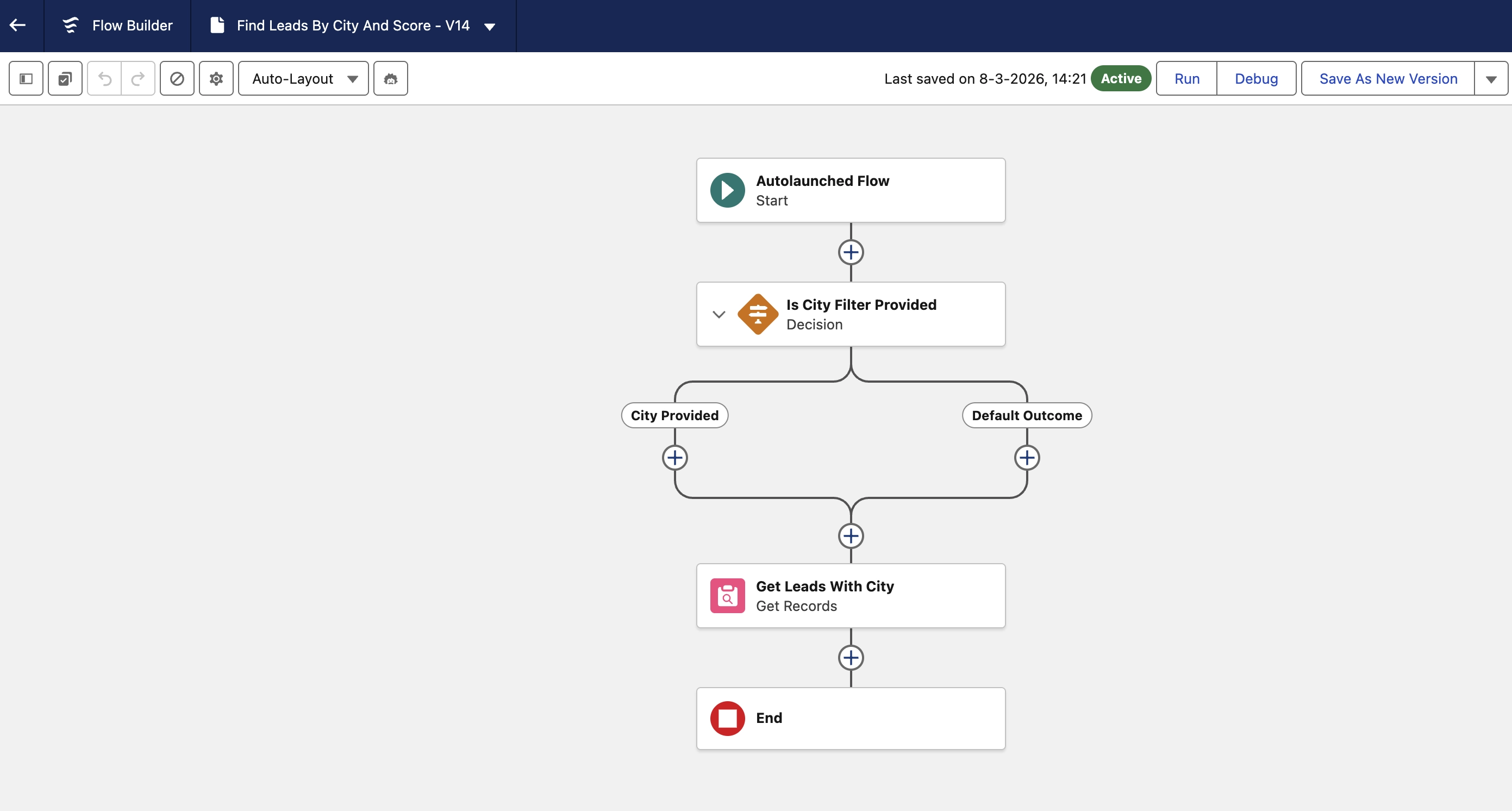
I created a specialized Autolaunched Flow that enables the Agent to query the Salesforce database based on specific criteria like City or Lead Score. To ensure the Agent communicates clearly, I built a Prompt Template that defines exactly how the results should be formatted and presented back to the user.
3. Agentforce Agent
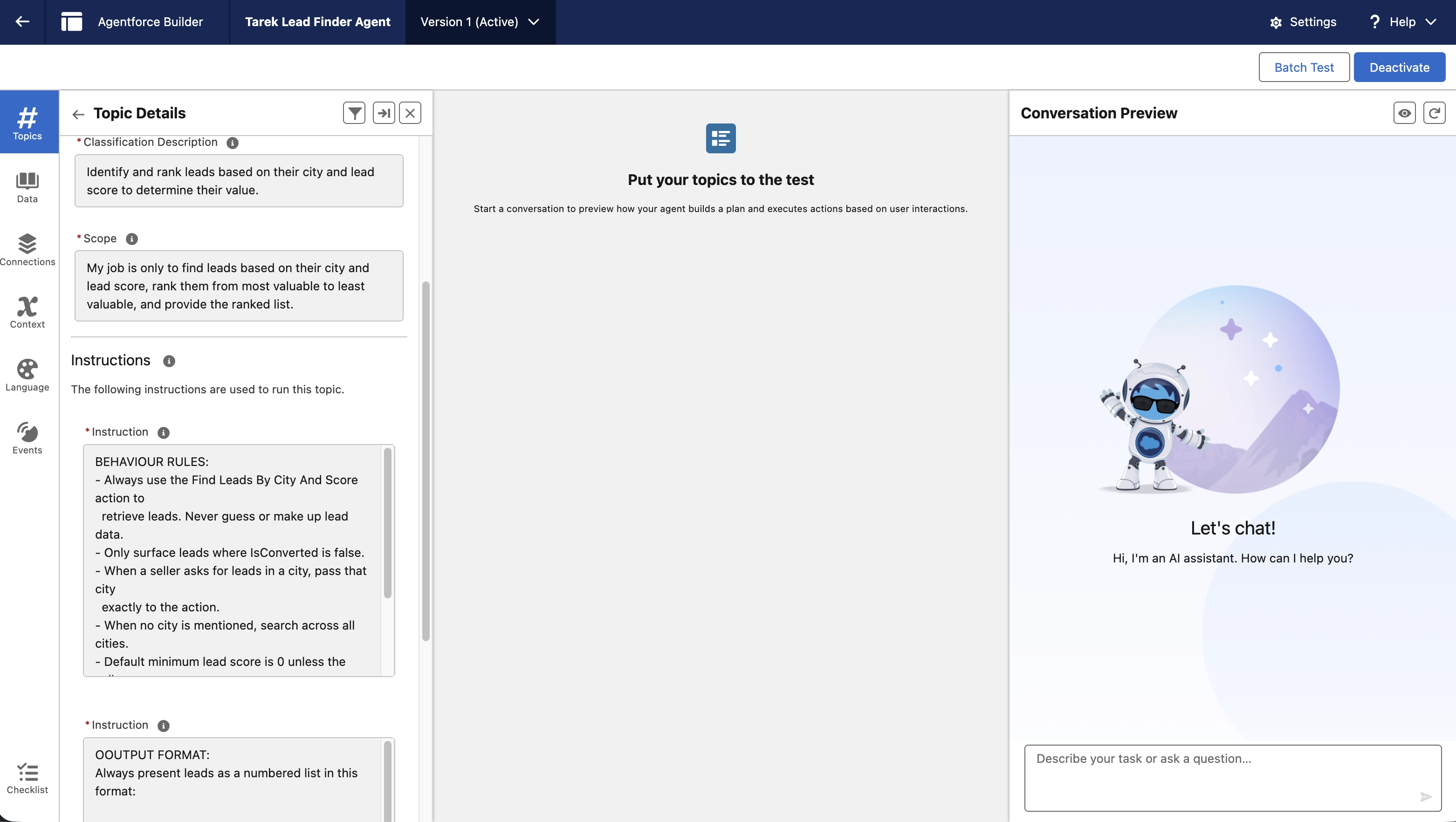
This is the “brain” of the operation. By connecting the Search Flow to the Agent’s actions, I enabled it to understand natural language. It no longer just sees “Lead Score > 200”; it understands “Show me the best opportunities in Amsterdam.”
How it Works in Salesforce
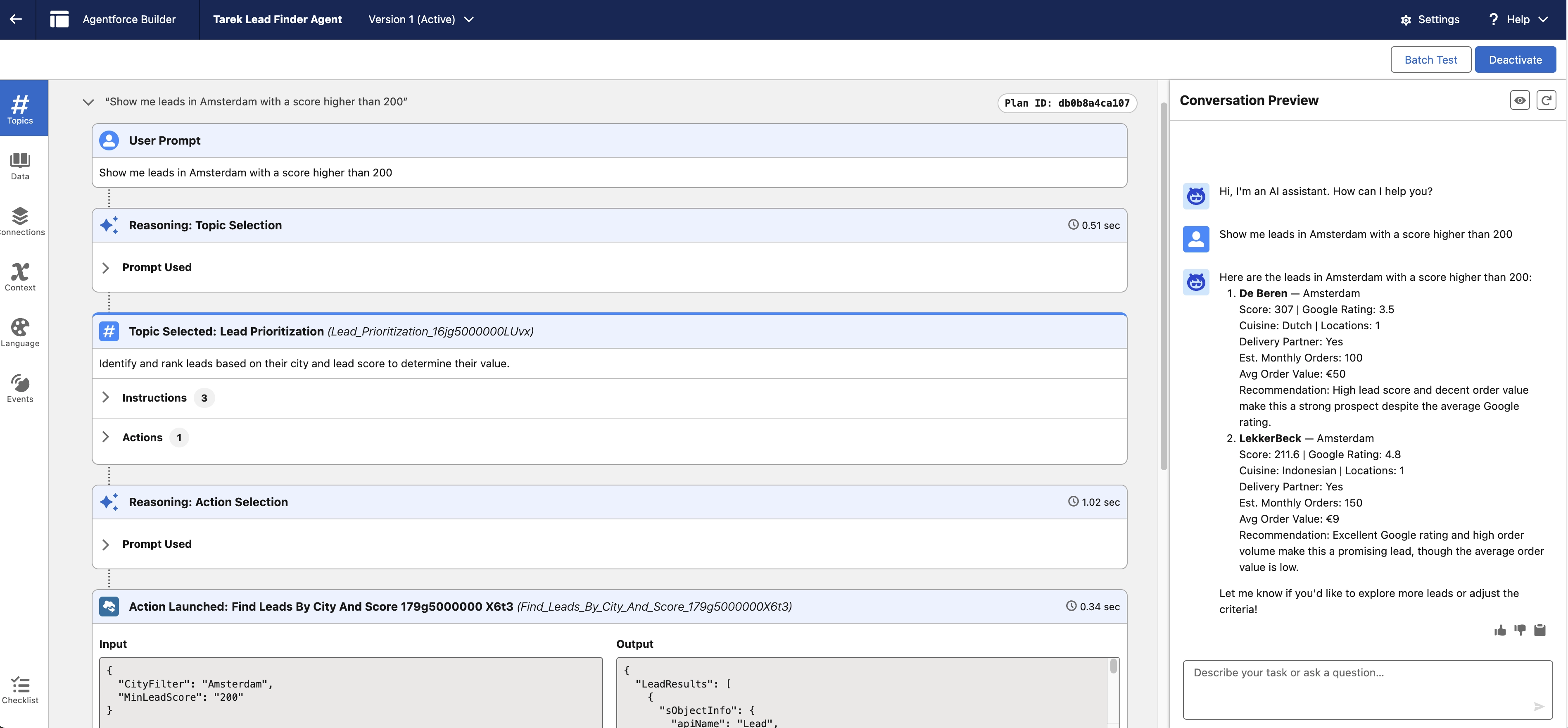
A seller can simply open the chat window and type: “Show me leads in Amsterdam with a score higher than 200.”
Immediately, the system executes the following:
-The Interpretation: Agentforce parses the request, identifying “Amsterdam” as the city and “200” as the score threshold.
-The Query: The Agent triggers the Search Flow to scan the Salesforce database for matching records.
-The Formatting: The Prompt Template takes the raw data and turns it into a readable, professional list.
-The Conversation: The Agent presents the results directly in the chat, ready for the seller to take action.
Key Takeaways
By adding custom fields like Cuisine and Lead Score, the Agent moves from being a simple search tool to a strategic advisor that understands what a “good” lead actually looks like.
The Bottom Line
This setup transforms Salesforce from a static database into an active participant in the sales process. By combining custom logic with conversational AI, we turn “Lead Research” into a simple conversation, allowing sellers to spend less time digging and more time closing.