
Searching for Leads with Salesforce Agentforce
Building on my lead enrichment automation, I wanted to create a more intuitive way for sellers to interact with their data. Instead of scrolling through list views, I built a custom Agentforce Agent that allows sellers to find high-value prospects simply by asking.
The Three Ingredients
1. Custom Fields & Logic
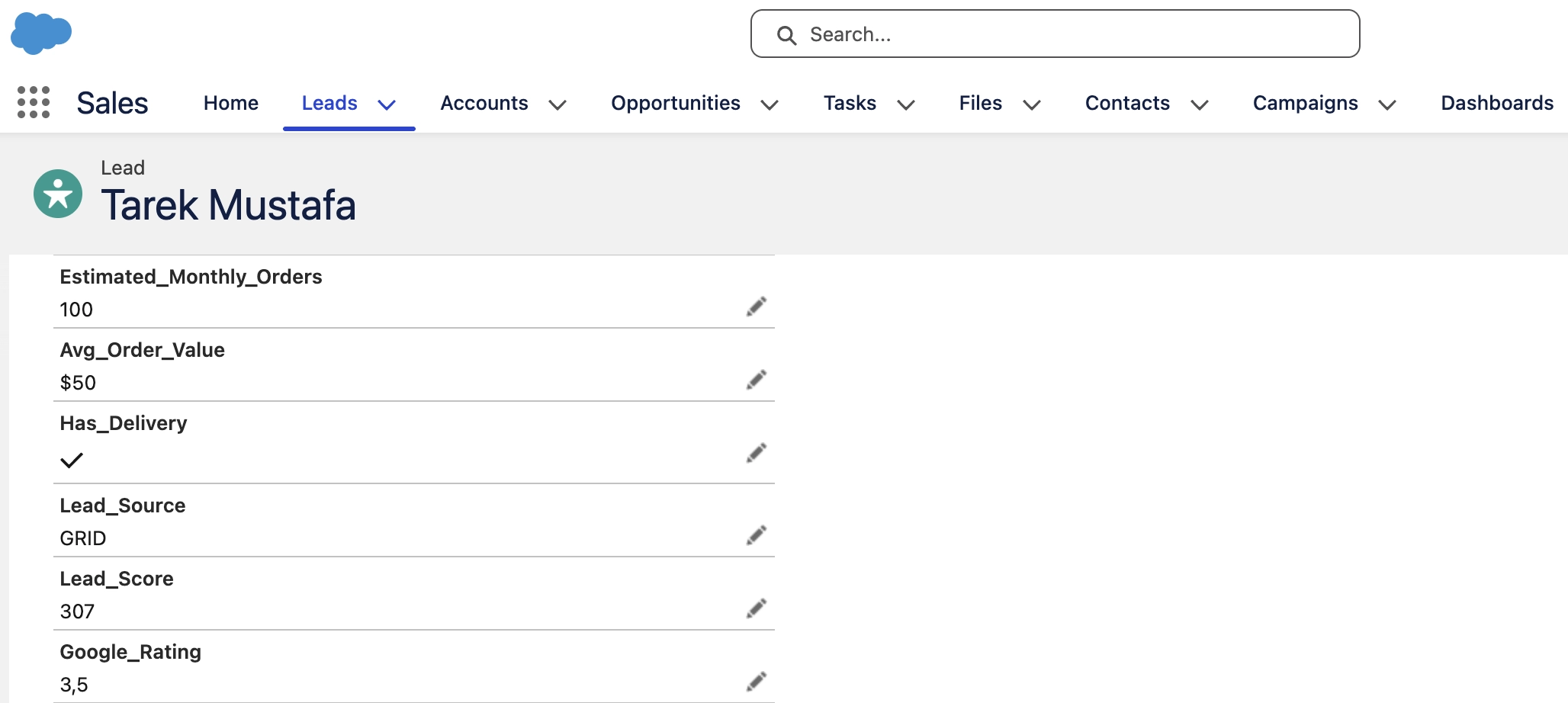
To make the search meaningful, I added industry-specific fields like Estimated Monthly Orders, Average Order Value, Cuisine, and delivery availability. I then built a Lead Score Flow that calculates a priority score using this formula:
Lead_Score = (Orders * 0.5) + (AvgValue * 3) + (Rating * 2) + (HasDelivery * 100)
2. Search Flow & Prompt Template
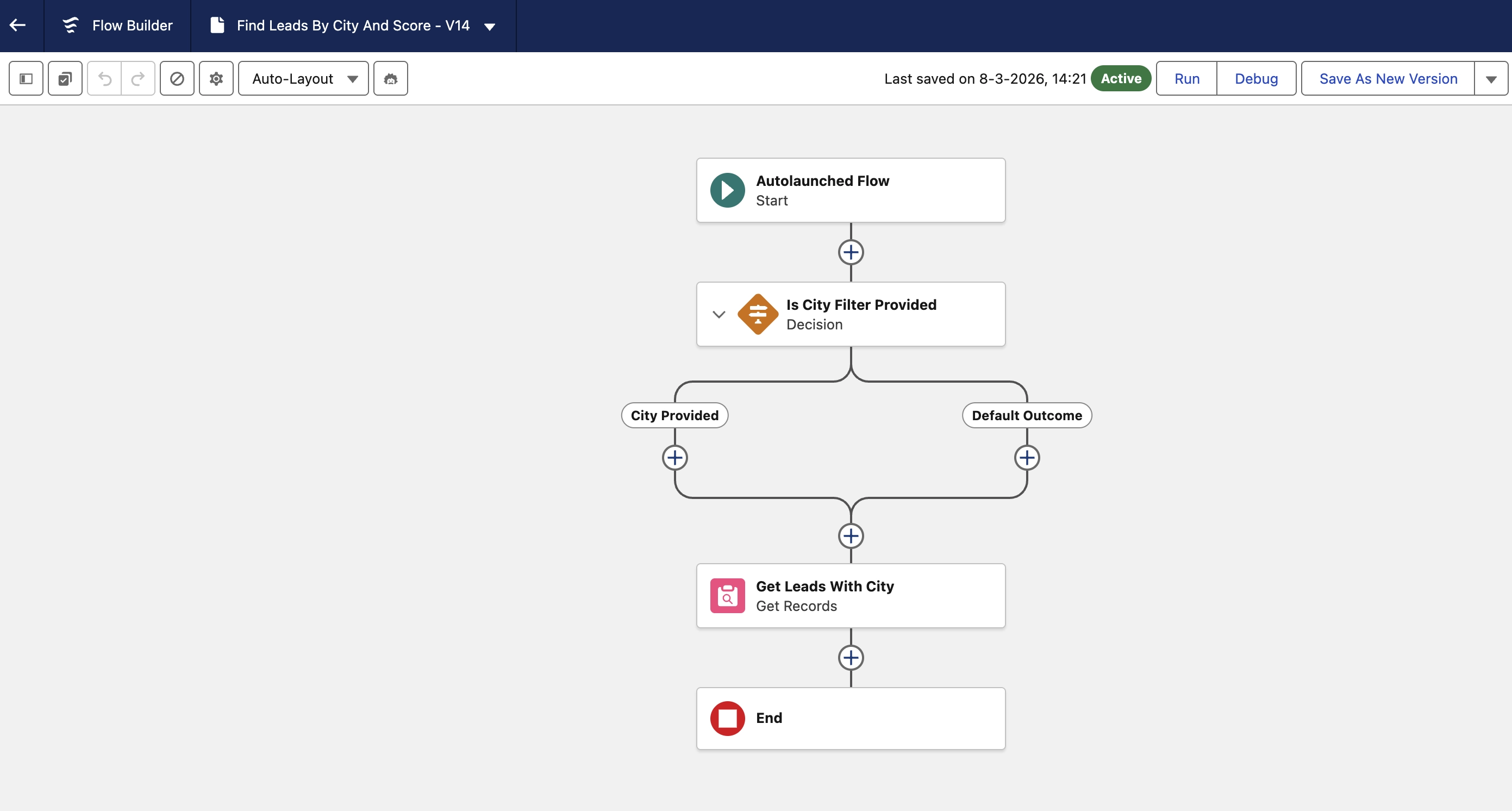
I created an Autolaunched Flow that enables the agent to query Salesforce based on criteria like city or lead score. To make the response useful, I built a Prompt Template that defines how the results should be formatted and presented back to the user.
3. Agentforce Agent
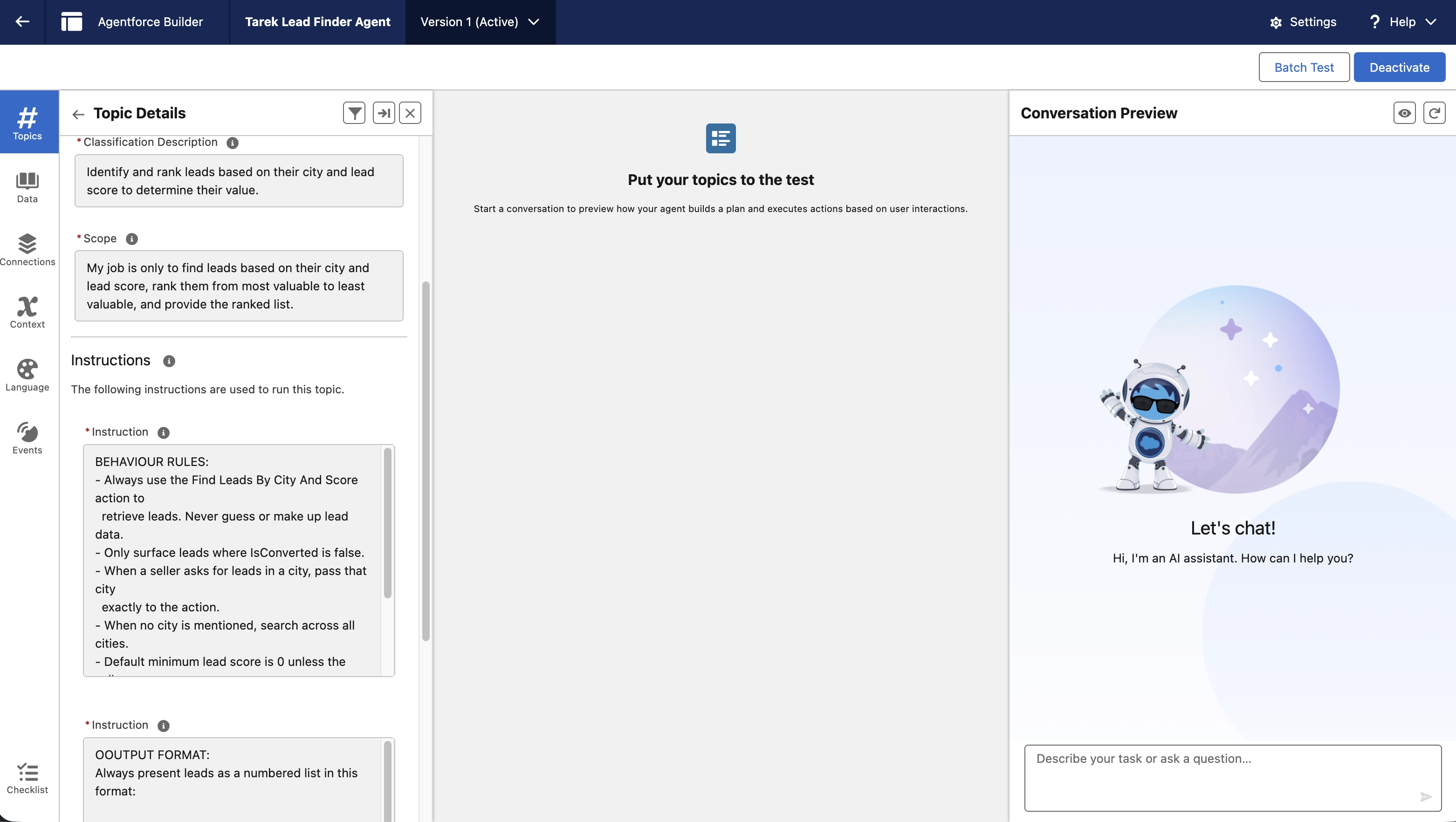
This is the conversational layer. By connecting the Search Flow to the agent’s actions, I enabled sellers to use natural language instead of building filters manually. It no longer only works with “Lead Score > 200”; it can respond to a request like “Show me the best opportunities in Amsterdam.”
How It Works in Salesforce
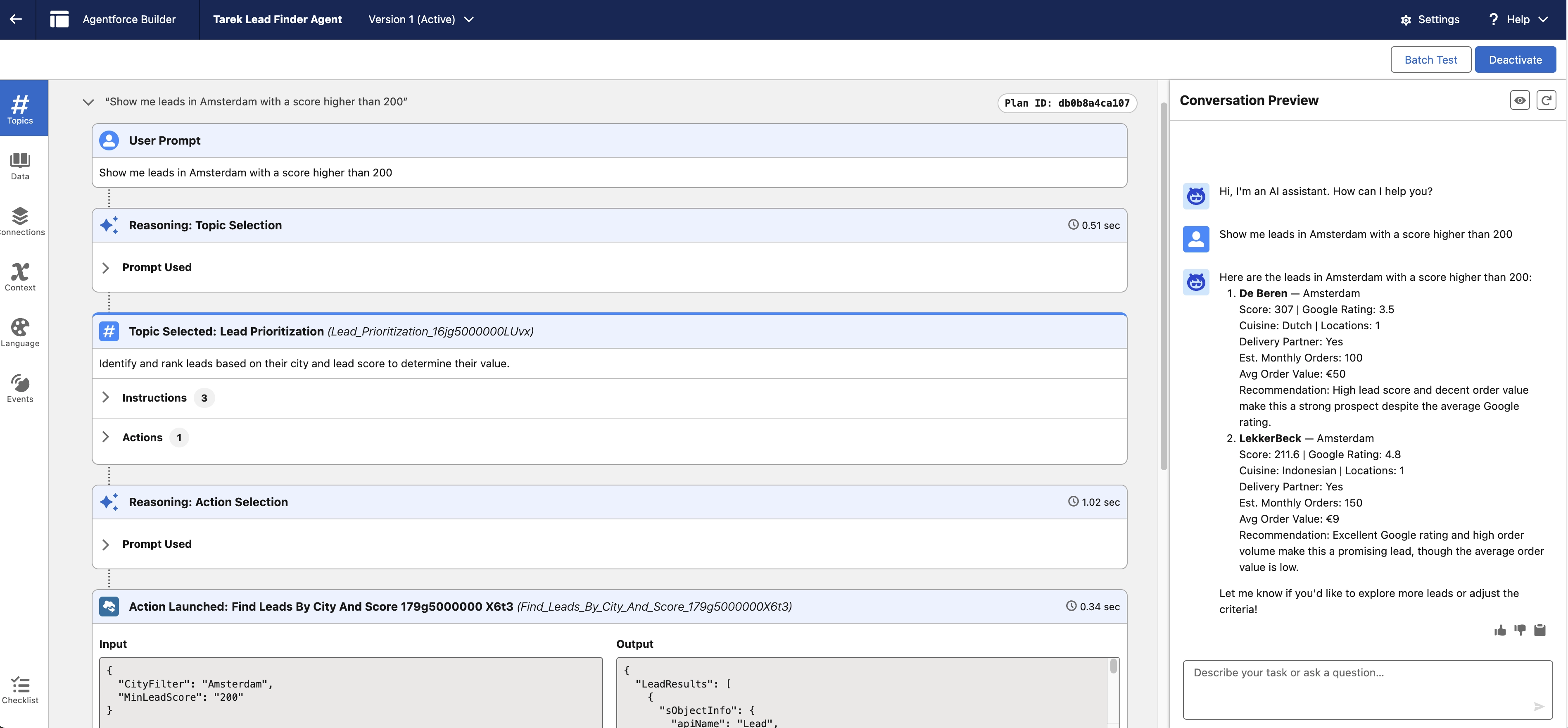
A seller can simply open the chat window and type: “Show me leads in Amsterdam with a score higher than 200.”
Immediately, the system executes the following:
The interpretation: Agentforce parses the request, identifying “Amsterdam” as the city and “200” as the score threshold.
The query: The agent triggers the Search Flow to find matching Lead records.
The formatting: The Prompt Template turns the raw records into a readable list.
The conversation: The agent presents the results directly in chat, ready for the seller to review.
Key Takeaways
The most important part of the project was not the chat interface. It was the data model behind it. By adding fields like Cuisine and Lead Score, the agent can search for leads based on what makes a prospect valuable, not just what happens to be easy to filter.
The Bottom Line
This setup turns lead search into a simple conversation. By combining custom scoring logic with Agentforce, sellers can spend less time digging through list views and more time reviewing the best opportunities.