
Basic Lead Enrichment in Salesforce with Agentforce
To get more hands-on experience with Salesforce automation, I used a Developer Edition org to build a basic AI-assisted lead enrichment flow. When a new Lead is created with limited company information, the automation uses Agentforce to look for missing contact details and then updates the Lead record.
The goal was simple: reduce manual research for fields like phone number, email, and website, while still keeping the setup easy to inspect and improve.
The Three Ingredients
1. The Instructions (Flex Prompt Template)
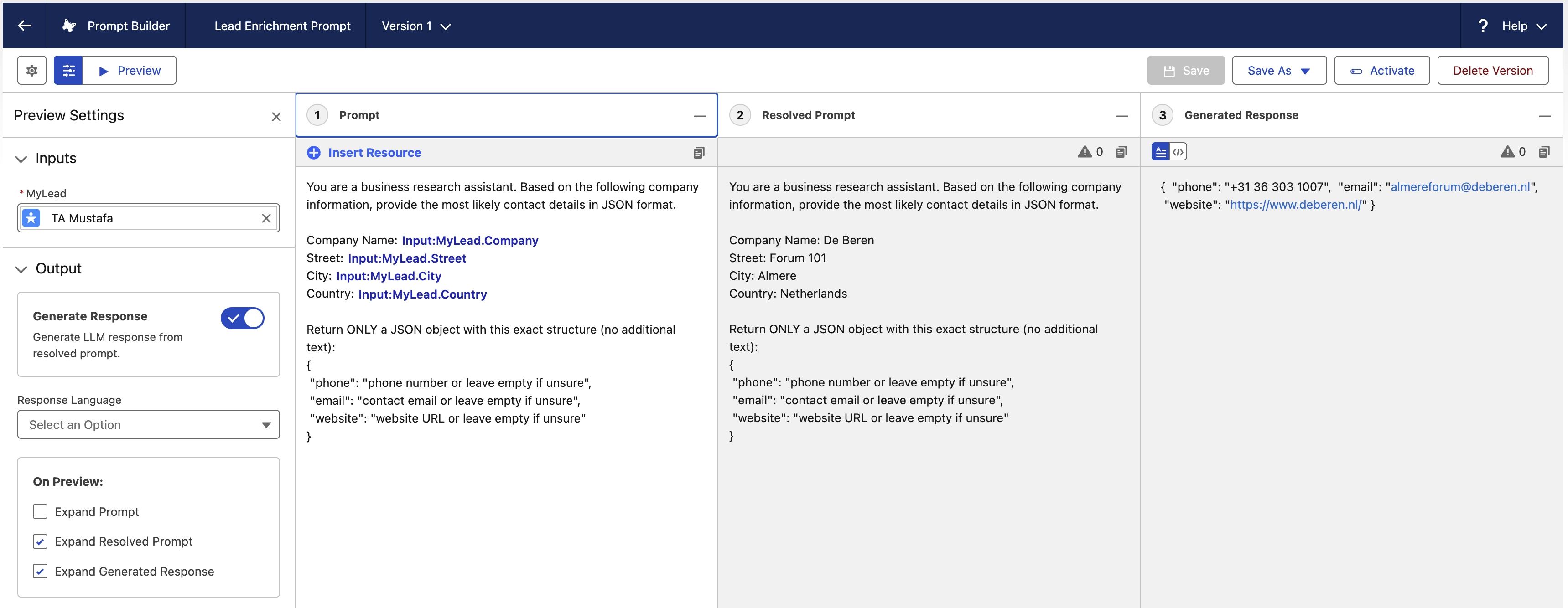
To guide the AI, I created a Flex Prompt Template. It takes the company name and location as inputs and asks the model to return the best available phone number, email, and website in a clean JSON format.
2. The Interpreter (Apex Class)
The AI response comes back as structured text, but Salesforce still needs to map each value to the right field. I used Google Gemini to help draft an Apex class that parses the JSON response and assigns the data to the correct Lead fields.

3. The Coordinator (Record-Triggered Flow)
The Record-Triggered Flow coordinates the process. It runs when a new Lead is created, calls the prompt template, passes the response to the Apex parser, and updates the Lead record.

How It Works in Salesforce
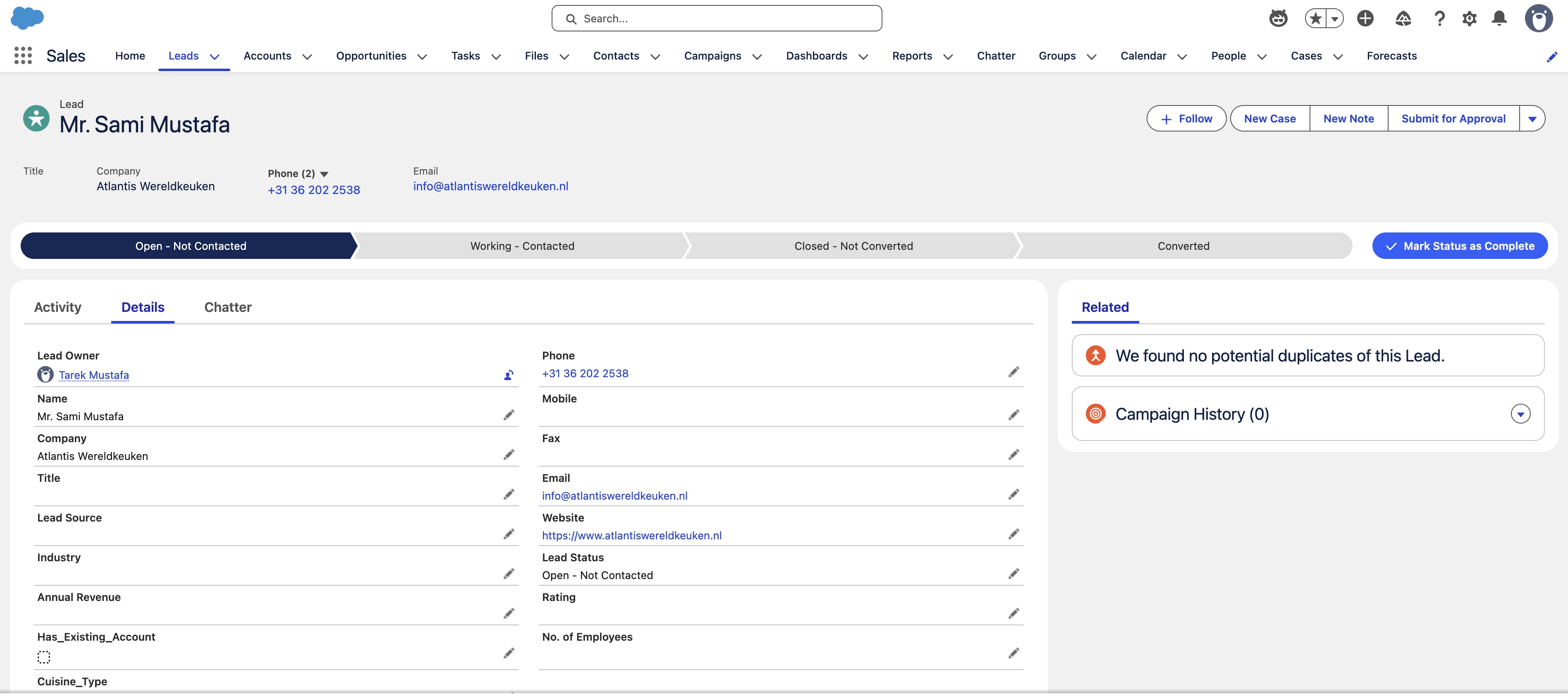
Imagine a researcher creates a new Lead with only a company name, street, and city, then clicks Save.
Immediately, the system starts working:
- The trigger: Salesforce detects the new Lead.
- The search: Agentforce searches for the missing company details based on the provided name and location.
- The response: The AI returns its findings in a structured JSON format.
- The update: The Apex class parses the response and maps the values to Lead fields.
- The result: The Lead record is enriched without manual copy-pasting.
By the time the flow finishes, the additional information has been added to the Lead record. No extra clicks, no manual searching, and no copying details from Google.
Key Takeaways
Good enough beats blank fields: The AI is not perfect, but even a useful starting point can save time compared with researching every field from scratch.
Simple foundations scale easily: I started with three core fields to prove the concept. The same pattern could be expanded to include social profiles, ratings, or short industry descriptions.
The Bottom Line
This automation turns a repetitive research task into a background process. It does not remove the need for review, but it gives sales and research teams a faster starting point.
That is the real value of Agentforce here: not AI doing everything, but AI taking care of the boring first pass.